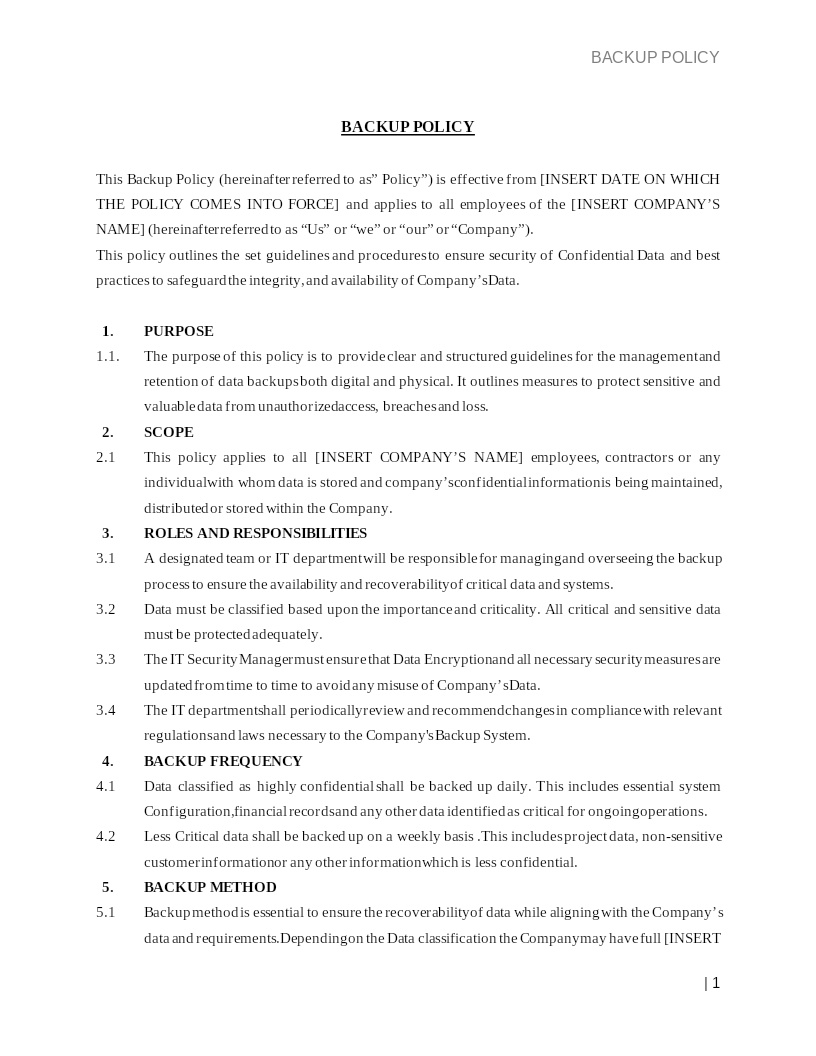
BACKUP POLICY
How does it work?
1. Choose this template
Start by clicking on "Fill out the template"
2. Complete the document
Answer a few questions and your document is created automatically.
3. Save - Print
Your document is ready! You will receive it in Word and PDF formats. You will be able to modify it.
Protecting Organizational Data Through Structured Backup Practices
When an organization handles important operational data, customer information, internal documents, or digital assets, it becomes essential to implement a clear policy governing how data is backed up, stored, accessed, and restored. A Backup Policy provides that framework. It defines what data is included in backups, how frequently backups occur, where backup files are stored, and what measures must be taken to maintain security and availability.
Having a Backup Policy in place builds trust within the organization and with external stakeholders by establishing predictable procedures for safeguarding critical information, enabling smooth recovery, and ensuring operational continuity in case of data loss or system disruption.
Where Backup Policies Are Commonly Used
Backup frameworks are widely implemented across business and technical environments, including:
- Cloud-based services and SaaS operations
- Healthcare, finance, and other regulated industries
- Internal IT infrastructure, data centers, and server environments
- E-commerce and online platforms that handle customer transactions
- Software development companies, research institutions, and analytics teams
- Remote-work organizations that rely on distributed data access
Any time data forms the backbone of daily operations, a structured backup approach is essential to ensure security, compliance, and recoverability.
Different Types of Backup Approaches You May Encounter
- Full Backup: Creates a complete copy of all selected data, offering the highest level of protection and the simplest restoration process.
- Incremental Backup: Captures only data that has changed since the last backup, reducing storage usage and speeding up daily operations.
- Differential Backup: Backs up changes made since the last full backup, balancing speed and storage needs.
- Cloud and Hybrid Backups: Use external cloud repositories or a combination of on-premise and cloud systems to increase redundancy and accessibility.
- Automated Scheduled Backups: Run at predefined intervals to minimize human error and ensure consistent protection.
When Legal or Technical Guidance Becomes Helpful
Though many backup practices can be handled internally, expert guidance becomes valuable when:
- Your business operates in a regulated industry (HIPAA, FINRA, FERPA, PCI-DSS)
- Data involves sensitive customer information or trade secrets
- Your systems span multiple states or international locations
- You need to structure retention timelines or deletion protocols
- The backup system must support complex integrations or legacy software
- You require disaster recovery planning or business continuity structuring
Legal and technical professionals help ensure your policy aligns with federal and state regulations and meets required security standards.
How to Work with This Template
- Identify the categories of data that require backup
- Specify backup frequency and storage locations
- Establish retention periods for each data type
- Define recovery procedures and responsible personnel
- Select applicable U.S. state laws or regulations where needed
- Review policy requirements with IT and compliance teams
- Implement documentation and testing procedures for backup integrity
This structure aligns with widely accepted U.S. data-protection and IT governance standards.
Frequently Asked Questions
Q1. Why is a Backup Policy important for U.S. businesses?
A Backup Policy ensures that mission-critical data is protected from loss, corruption, and cyber incidents. U.S. companies face increasing risks, including ransomware, hardware failures, and accidental deletion. With a structured policy, businesses maintain continuity, safeguard customer trust, and avoid costly downtime. It also supports compliance with federal and state data-protection requirements.
Q2. Does a Backup Policy help with disaster recovery?
Yes. A Backup Policy forms the backbone of a company’s disaster recovery plan. By defining how data is backed up and restored, it enables quick recovery following natural disasters, system crashes, or cyberattacks. This allows organizations to resume operations faster and reduces the financial and operational impact of unexpected disruptions.
Q3. What types of data should a U.S. organization include in backups?
Organizations typically include customer records, financial data, operational files, employee documents, databases, application data, and configuration settings. The policy ensures that essential information is preserved consistently. It also helps prioritize which data is critical so recovery can be performed efficiently during emergencies.
Q4. Are cloud backups safe and compliant with U.S. regulations?
Cloud backups can be very secure if managed properly. Reputable U.S.-based cloud providers offer encryption, redundancies, and compliance features for laws like HIPAA, GLBA, and state privacy acts. A Backup Policy ensures proper vendor selection, encryption standards, and retention controls, helping organizations stay compliant while leveraging modern storage solutions.
Q5. How often should backups occur under a standard Backup Policy?
Backup frequency depends on business needs but commonly ranges from hourly to daily for critical systems. The policy defines intervals based on data sensitivity, volume, and operational risk. Regular scheduling minimizes the chance of data gaps and ensures organizations always have an up-to-date recovery point.
Q6. Who is responsible for implementing and maintaining the Backup Policy?
Responsibility typically falls on the IT department, system administrators, or designated data-protection officers. The policy outlines roles to prevent confusion and ensure accountability. This includes monitoring backup success, testing recovery procedures, and ensuring compliance with organizational and legal requirements.
Q7. How long should backed-up data be retained?
Retention periods vary depending on business needs, industry standards, and legal requirements. Some U.S. regulations mandate specific retention lengths—such as financial or healthcare records. A Backup Policy defines timelines clearly, ensuring outdated data is deleted responsibly and storage resources are managed efficiently.
Q8. Can a Backup Policy help protect against ransomware?
Absolutely. Regular, encrypted, and isolated backups are one of the strongest defenses against ransomware attacks. If systems are compromised, the organization can restore clean versions of data from secure backups. This reduces downtime, prevents ransom payments, and supports faster system recovery.