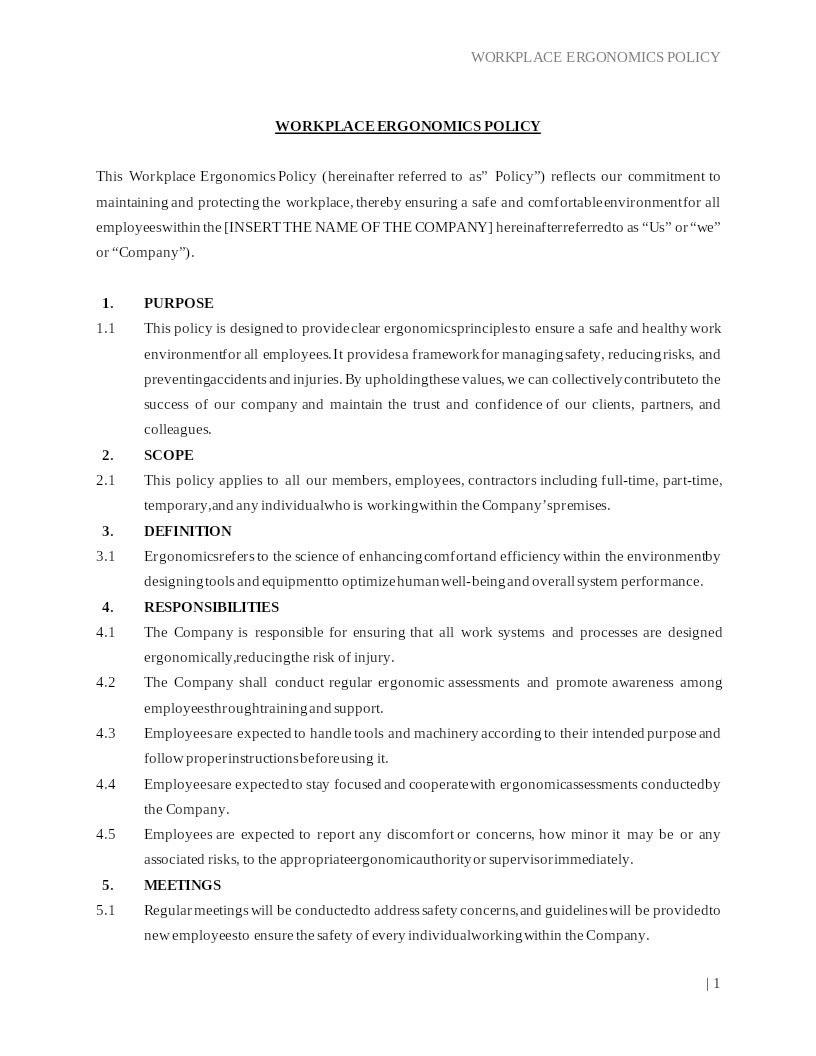
WORKPLACE ERGONOMICS POLICY
How does it work?
1. Choose this template
Start by clicking on "Fill out the template"
2. Complete the document
Answer a few questions and your document is created automatically.
3. Save - Print
Your document is ready! You will receive it in Word and PDF formats. You will be able to modify it.
Promoting Comfort, Safety, and Productivity in the Workplace
Creating an ergonomic work environment is essential for employee well-being, performance, and long-term health. A Workplace Ergonomics Policy provides a structured approach to identifying ergonomic risks, adjusting workstations, and ensuring that employees follow best practices to reduce strain, fatigue, and preventable injuries.
This policy outlines ergonomic standards, workstation setup guidelines, employee responsibilities, employer obligations, and reporting procedures. It helps maintain comfort, minimize musculoskeletal disorders, and support a safe and efficient workplace whether employees work on-site, remotely, or in hybrid environments.
Where Workplace Ergonomics Policies Are Commonly Used
Most businesses adopt ergonomics policies to support compliance, health initiatives, and employee safety, including:
- Corporate offices, co-working spaces, and administrative environments
- Remote and hybrid workplaces
- Customer service centers and computer-intensive roles
- Warehouses, manufacturing units, and physical labor settings
- Healthcare, laboratories, and research facilities
- Educational institutions and training centers
Any environment where employees use computers, machinery, or perform repetitive tasks benefits from clear ergonomic guidelines.
Different Types of Ergonomic Measures You May Encounter
- Office Ergonomics: Includes proper desk, chair, monitor, lighting, and keyboard positioning to reduce strain.
- Industrial or Manual Labor Ergonomics: Focuses on lifting techniques, posture, workstation arrangement, and equipment use.
- Remote Work Ergonomics: Guidelines for safe and comfortable home office setups and alternate work environments.
- Adaptive Ergonomics: Adjustments designed for employees with disabilities or health conditions requiring accommodation.
When Guidance Becomes Helpful
Professional or legal guidance can be beneficial when:
- Employees use specialized equipment or machinery
- Workplace injuries or discomfort complaints increase
- The company must comply with OSHA ergonomic guidelines
- Remote work arrangements require standardized workstation setup rules
- Employees request accommodations under the ADA
- The organization is revising health and safety protocols
While not always required, professional review can help ensure compliance and minimize workplace injury risks.
How to Work with This Template
- Identify the employees, departments, or work areas covered
- Describe ergonomic standards and workstation setup requirements
- Include guidelines on posture, breaks, equipment use, and reporting discomfort
- Specify employer responsibilities, training, equipment, assessments
- Clarify employee responsibilities in maintaining ergonomic practices
- Choose the governing U.S. state law and OSHA requirements
- Encourage ongoing communication and early reporting of ergonomic concerns
- Implement through policy acknowledgment or digital acceptance
This policy follows widely recognized U.S. workplace safety standards and is compatible with common HR and e-signature platforms.
Frequently Asked Questions
Q1. What is a Workplace Ergonomics Policy and why is it important?
A Workplace Ergonomics Policy sets standards that help employees maintain proper posture, reduce strain, and prevent injuries. It is important because it promotes comfort, boosts productivity, and helps employers comply with U.S. workplace safety guidelines.
Q2. Is a Workplace Ergonomics Policy required in the U.S.?
While not always mandatory, OSHA strongly encourages ergonomic safety measures. Companies adopt this policy to reduce injury risks, improve employee well-being, and maintain a safe work environment.
Q3. What should a Workplace Ergonomics Policy include?
A complete policy includes workstation setup guidance, equipment recommendations, safe lifting procedures, break guidelines, reporting steps, and employer/employee responsibilities.
Q4. Does the policy apply to remote employees?
Yes. Many companies now include remote ergonomics standards to ensure that employees working from home maintain safe and healthy workspaces.
Q5. Who is responsible for ergonomic compliance?
Both employers and employees share responsibility. Employers provide training, resources, and assessments, while employees must follow ergonomic practices and report issues promptly.
Q6. Can ergonomic equipment be requested as an accommodation?
Yes. Under the Americans with Disabilities Act (ADA), qualifying employees may request ergonomic chairs, desks, or equipment as reasonable accommodations.
Q7. Does this policy help reduce workplace injuries?
Absolutely. Ergonomics policies reduce the risk of repetitive strain injuries, back pain, eye strain, carpal tunnel, and other musculoskeletal issues.
Q8. Are ergonomic assessments included?
Companies may conduct periodic ergonomic assessments of employee workstations, both in-office and remotely, to ensure compliance and comfort.
Q9. How often should employees update their workstation setup?
Adjustments should be made anytime discomfort arises, when equipment changes, or when job duties shift. Routine check-ins are also recommended.
Q10. Are electronic signatures valid for acknowledging this policy?
Yes. Under U.S. e-signature laws, electronic acknowledgments are valid. Most HR platforms allow employees to digitally accept workplace policies.